Postman Collection
Postman is a popular tool used to test HTTP Requests to API endpoints. Classic Central offers a Postman collection and environment that you can use to test REST APIs with Classic Central which is available here.
Getting Started with Classic Central Postman Collection
- Go to the Classic Central Postman Workspace. You can do this from the Postman website or application, which can be installed from here.
- Within the workspace, click on the Classic Central collection which is pinned on the workspace's overview page. This will take you to the Classic Central collection and set the Classic Central ENV as the active environment of the collection.
Postman Definitions
- A collection is a set of API endpoints or requests, along with each endpoint's authorization type, parameters, headers, request bodies, tests, and settings grouped together.
- A environment is a set of one or more variables that you can reference when sending requests or writing test script in Postman.
- Fork the Classic Central collection and Classic Central ENV environment to your personal Postman workspace. This will enable you to make API requests to Classic Central using this Postman collection.
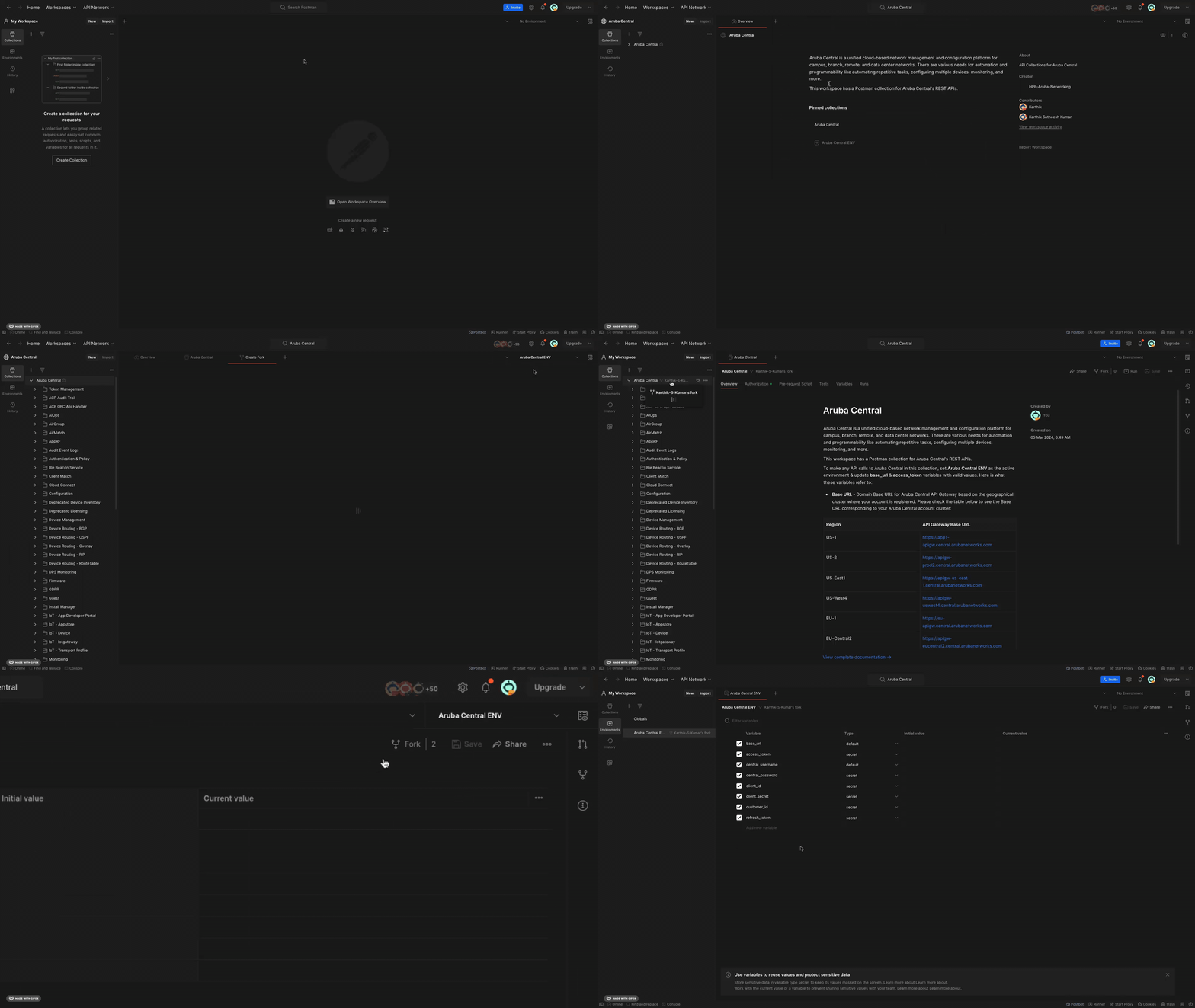
Forking the Classic Central Collection and Classic Central ENV environment
Making API calls
Once you have successfully forked the Classic Central collection and Classic Central ENV environment to your personal workspace, please follow the below steps to make API calls to Classic Central with Postman:
- Within your personal workspace, select the Environments tab and add values for the following variables in the Classic Central ENV:
| Variable | Description |
|---|---|
| base_url | Domain Base URL for Classic Central API Gateway is based on the geographical cluster where your Classic Central account is registered. You can find the list of Base URLs here or in the Overview section of the Classic Central Postman Collection. |
| access_token | Access Token is required to securely make an API Request to Classic Central API Gateway. |
Generating Access TokenYou can generate an Classic Central Token from:
- Classic Central UI
- OAuth APIs (Only for Non-SSO Users) - You can use the Create Token's Collection Runner to automate the OAuth APIs to generate an access token. You can find the steps to set-up the Runner here.
- Once the valid values are set, save the environment, and please set the Classic Central ENV as the active environment for your workspace.
- Click on the Collections tab and select Classic Central collection. You should now be able to make API calls to Classic Central from your Postman Collection.
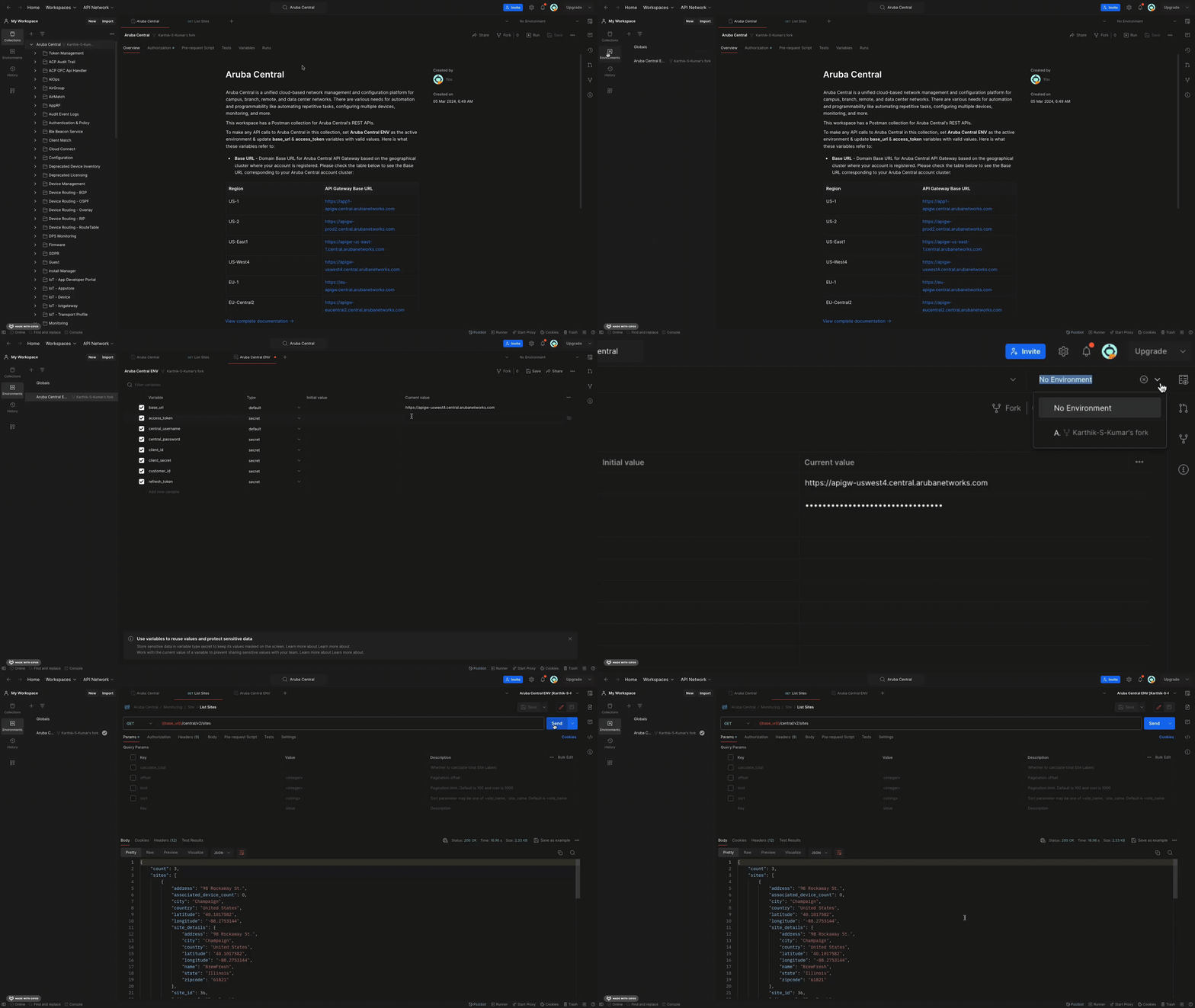
Setting the base_url (in this eg, the Classic Central account is in US-West4 cluster) and access_token in the Classic Central ENV environment and then making API calls to the Classic Central account
Updated 4 months ago