
Rename Hostnames
Workflow tutorial for Renaming Hostnames PyCentral script
Source CodeYou can find the full source code and documentation for this workflow on GitHub: Rename Hostnames
This workflow uses the PyCentral SDK to automate configuring the hostname of devices in Central. The workflow first checks the device serial numbers against Central to verify devices are ready to be configured. Then, device hostnames are either created or updated determined by their current System Information profile status. Only the default System Information profile will be updated. In the case where there are no current profiles, one will be created with the default profile name of "sys-system-info-profile" The workflow will also create a CSV output file containing the status of hostname configuration operations.
Prerequisites
- Python 3.8 or higher
- API credentials for HPE Aruba Networking Central(YAML format)
- All target devices are ready for provisioning in Central
Installation
- Clone the repository and navigate to this workflow folder
git clone -b v2 https://github.com/aruba/central-python-workflows.git
cd central-python-workflows/rename-hostnames- Create and activate a virtual environment, then install dependencies
- On macOS/Linux: source venv/bin/activate
- On Windows (PowerShell): venv\Scripts\Activate.ps1
python3 -m venv venv
source venv/bin/activate  # On Windows use: venv\Scripts\activate
pip install -r requirements.txt
This workflow is tested on the PyCentral SDK (version: 2.0a21). Please check compatibility before executing on older/newer versions as there may be changes
Configuration
Credentials Configuration (account_credentials.yaml)
For API operations in HPE Aruba Networking Central:
central:
    cluster_name: <cluster-name>  # or base_url: <central-api-base-url>
    client_id: <central-client-id>
    client_secret: <central-client-secret>
Sample Input: See account_credentials.yaml in this repository for an example credential file.
Important Links
Workflow Input Data
This workflow requires an input CSV file containing the serial number of the devices to have their hostname changed, in addition to the new hostname. By default the workflow will use the variables_sample.csv file if none is provided.
Update the variables_sample.csv with device serial numbers and new hostnames, or create a custom CSV with the same format to be used as an argument when executing the script.
serial,new_hostname
{device1_serial},{device1_new_hostname}
{device2_serial},{device2_new_hostname}
NoteSample Input: See
variables_sample.csvin the repository for an example input file structure.
Execution
The script can be executed with the following CLI commands:
python rename_hostnames.pyWith arguments:
python rename_hostnames.py -c <credentials_file> --hostnames_csv <input_file>Command Line Options
| Name | Type | Description | Required | Default |
|---|---|---|---|---|
| credential_file | string | Path to file with Central credentials | No | account_credentials.yaml |
| hostnames_csv | string | Path to input CSV file | No | variables_sample.csv |
Output
If the script runs successfully, the terminal will show output similar to the following:
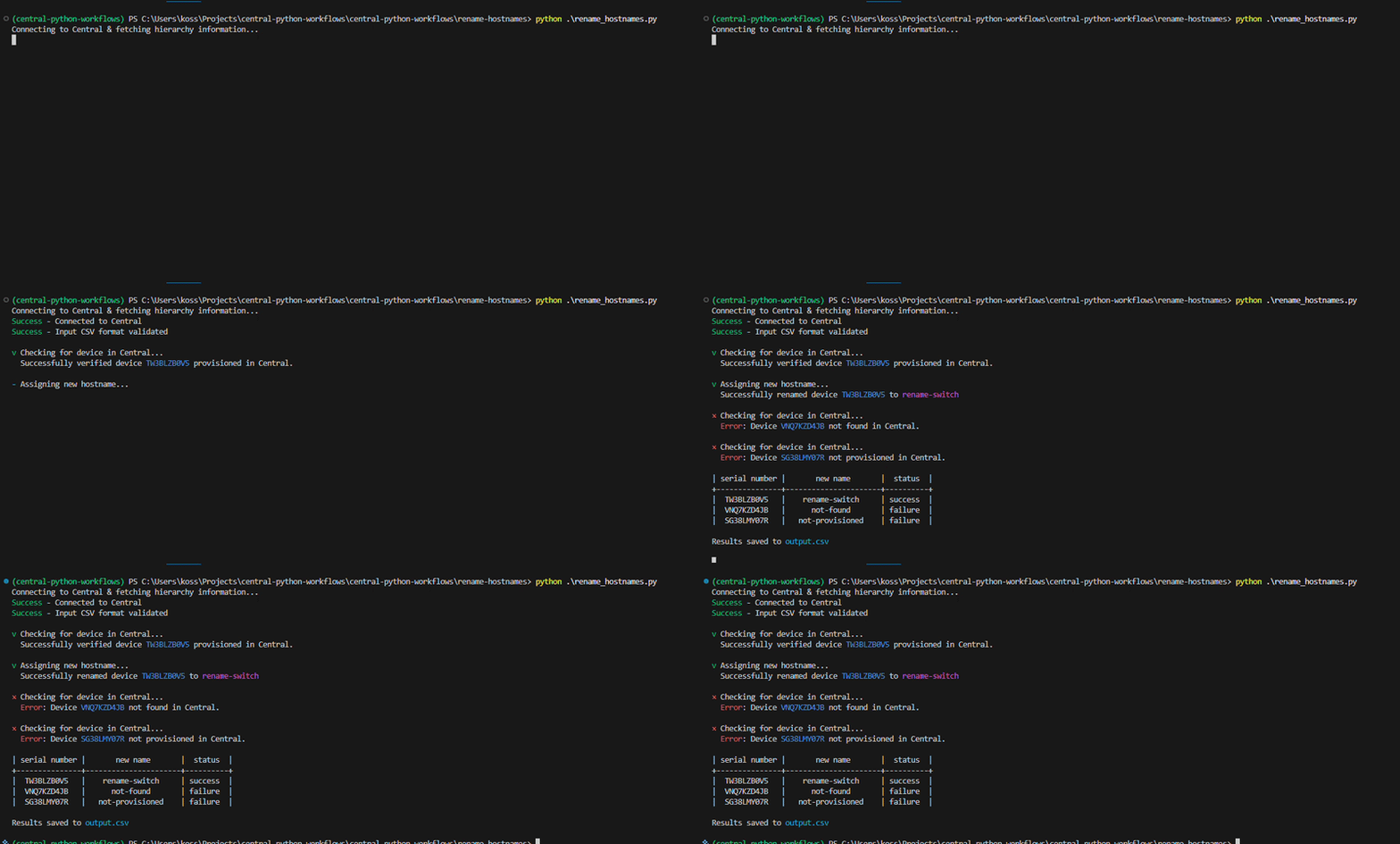
A CSV file with the results of the script execution will be saved as output.csv. The results include the serial number of the devices, their new hostnames, and the outcome of the operation denoted by the status column.
Example output.csv file:
serial_number,new_name,status
serial1,hostname1,success
seria2,hostname2,failure
Troubleshooting
- Authentication / tokens: Ensure your credentials file is complete and has valid credentials for Central
- Ensure all target devices have been assigned a device function and are ready for provisioning
- Ensure hostnames are a valid format for the device type they are attempting to be assigned to
- SDK compatibility: If API calls fail unexpectedly, confirm the installed PyCentral version matches tested versions (v2.0a16) or update helpers accordingly.
Support
- Automation Team: [email protected]
- Workflow Issues: GitHub Issues
- PyCentral Library: PyCentral Issues
Updated 3 months ago
What’s Next
Take a look a some of our other workflows to see what capabilities are available!