
Introduction
What is PyCentral?
PyCentral is a Python software development kit (SDK) that makes it easier to interact with HPE Aruba Networking Central and the HPE GreenLake Platform (GLP) through REST APIs. Instead of building and managing low-level HTTP requests, developers can:
- Authenticate securely
- Configure and manage devices and subscriptions
- Monitor performance and collect analytics
- Run troubleshooting workflows
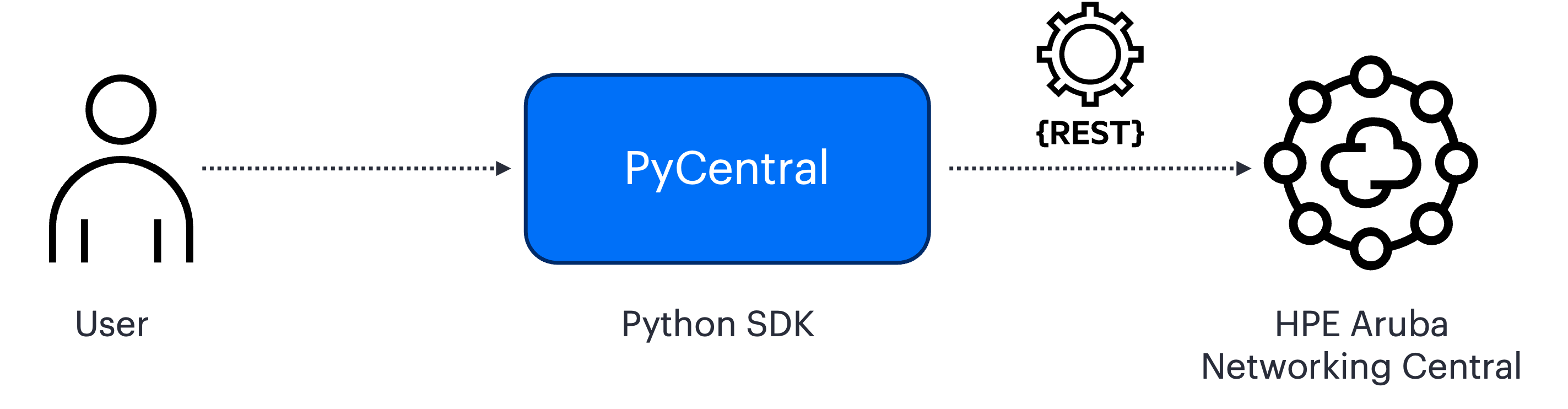
PyCentral handles authentication, request formatting, and error handling, while exposing simple Python functions. This lets you configure, monitor, and troubleshoot your network without dealing with raw REST API calls.
Key Benefits of PyCentral
PyCentral v2 is the latest version of the SDK, designed for compatibility and simplicity:
- Classic compatibility → Classic v1 code keeps working. v2 interfaces may change during pre-release.
- Multi-Platform Support → Works across Classic Central, Central, and GLP.
- Simplified Token Management → Built-in OAuth2.0 support (no manual refresh needed).
- Simplified Automation → Modules for configuration, monitoring, devices, subscriptions, troubleshooting, and streaming.
Two Ways to Use the SDK
There are two usage patterns. The right one depends on what you're doing.
command()on NewCentralBase — call any New Central/GLP API endpoint directly. Best when you're exploring the API, calling an endpoint not yet covered by a module, or building something custom.- Module classes — pre-built classes that wrap common API operations, handling pagination, parameter defaults, and response parsing for you. Best when a module already covers the endpoint you need.
Not sure which to use? Start with command() and migrate to module classes once you know which endpoints you're hitting repeatedly. The Quickstart Guide uses command() to keep things simple.
Versions
NotePyCentral-v2 is currently in pre-release. Feedback is welcome and can be provided here as we continue improving it.
Today, there are two versions of PyCentral, each designed for different versions of HPE Aruba Networking Central:
| Version | Supports | Notes |
|---|---|---|
| v1 | Classic Central | Legacy Version |
| v2 (pre-release) | Central, GLP, Classic Central | Classic v1 code keeps working |
Next Steps
| Authentication | Set up credentials before running your first script |
| Quickstart Guide | Install PyCentral and make your first API call |
| MSP automation | Automate across MSP tenants with MSPBase |
| Streaming APIs | Consume real-time events with PyCentral |
| Module reference | Browse class and method documentation on ReadtheDocs |
| Example workflows | Ready-to-run automation scripts on GitHub |
| GitHub | Source code, issues, and release notes |
Troubleshooting
ModuleNotFoundError: pycentral: activate the virtual environment you installed into, then runpip3 show pycentral.- Install picks v1: v2 is a pre-release, so install with
pip3 install --pre pycentral.- Authentication errors: see Authentication.
Updated 18 days ago