
Getting Started with Webhooks
Webhooks are automated messages that deliver information between applications. Like REST APIs, Webhooks use HTTPS to communicate and typically send data using POST requests.
The key difference lies in how data is received. With a REST API, a user or application explicitly initiates a request and waits for a response. With Webhooks, the flow is reversed. A client-side application generates a URL (often called a Webhook endpoint) and provides it to a server-side application. When a relevant event occurs, the server automatically sends data to that URL, delivering updates in real time without the need for repeated requests.
In HPE Aruba Networking Central we have the ability to accelerate event driven automation by enabling users to create and select Webhooks as the notification delivery option for all alerts.
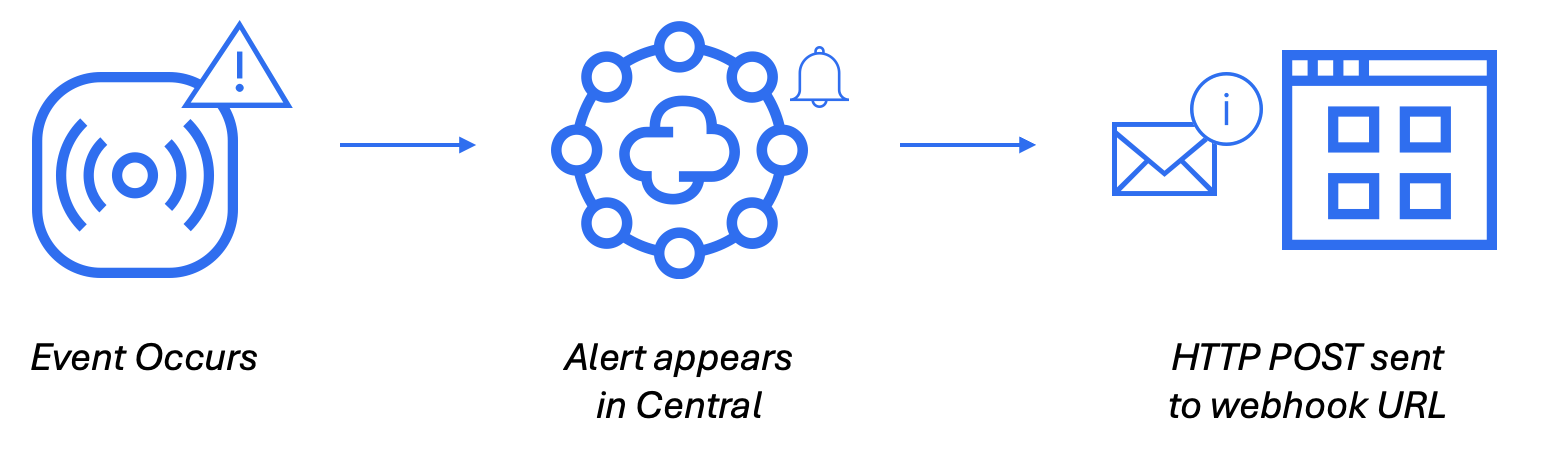
Webhooks Configuration
In HPE Aruba Networking Central, you can create up to 10 configured Webhooks. To configure alert notifications to be delivered via Webhook, first you must create the Webhook within Central:
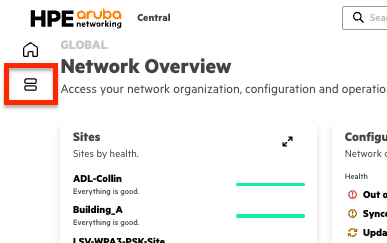
- On the HPE Aruba Networking Central landing page or in the MSP Global Overview page , select the Menu icon from the left-side panel.
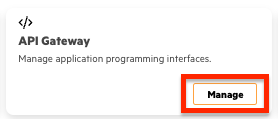
- Select Manage in the API Gateway card
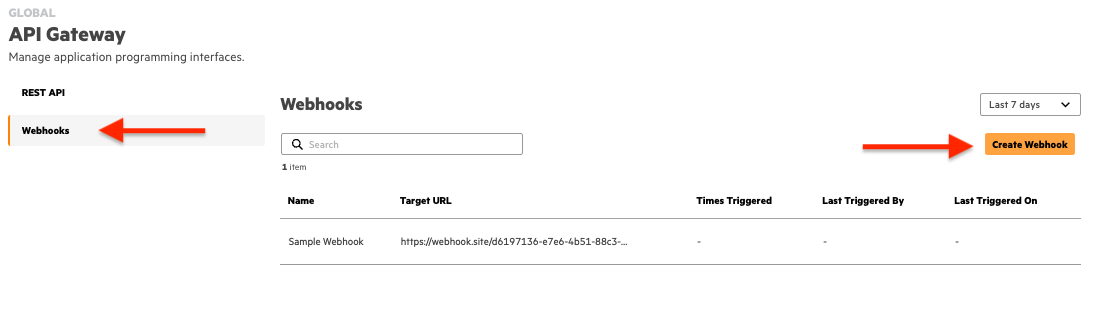
- Select Webhooks from the side navigation pane then select Create Webhooks in the upper right corner.
- Configure the following information:
- Name — Name of the Webhook
- Target URL — The HTTP or HTTPS endpoint on the receiver’s server that listens for incoming Webhook requests.
- Authentication Method — Select any one of the authentication methods provided:
- API Key — An API key is a unique identifier used to authenticate Webhook requests between systems. When a Webhook is triggered, the API key is included in the request header as an
authorizationBearer token, ensuring secure communication between the sender and the receiver. - OIDC — OpenID Connect (OIDC) authentication is an identity layer built on top of the OAuth 2.0 protocol that enables secure authentication of Webhook requests. On selecting OIDC as the authentication method you must provide the Client ID, Client Secret, and Well-known URL.
- API Key — An API key is a unique identifier used to authenticate Webhook requests between systems. When a Webhook is triggered, the API key is included in the request header as an
- Select Create and the Webhook will now appear within the table. Additionally, upon creation, users will be presented with the HMAC secret token which can be used by applications to authenticate received Webhook messages.
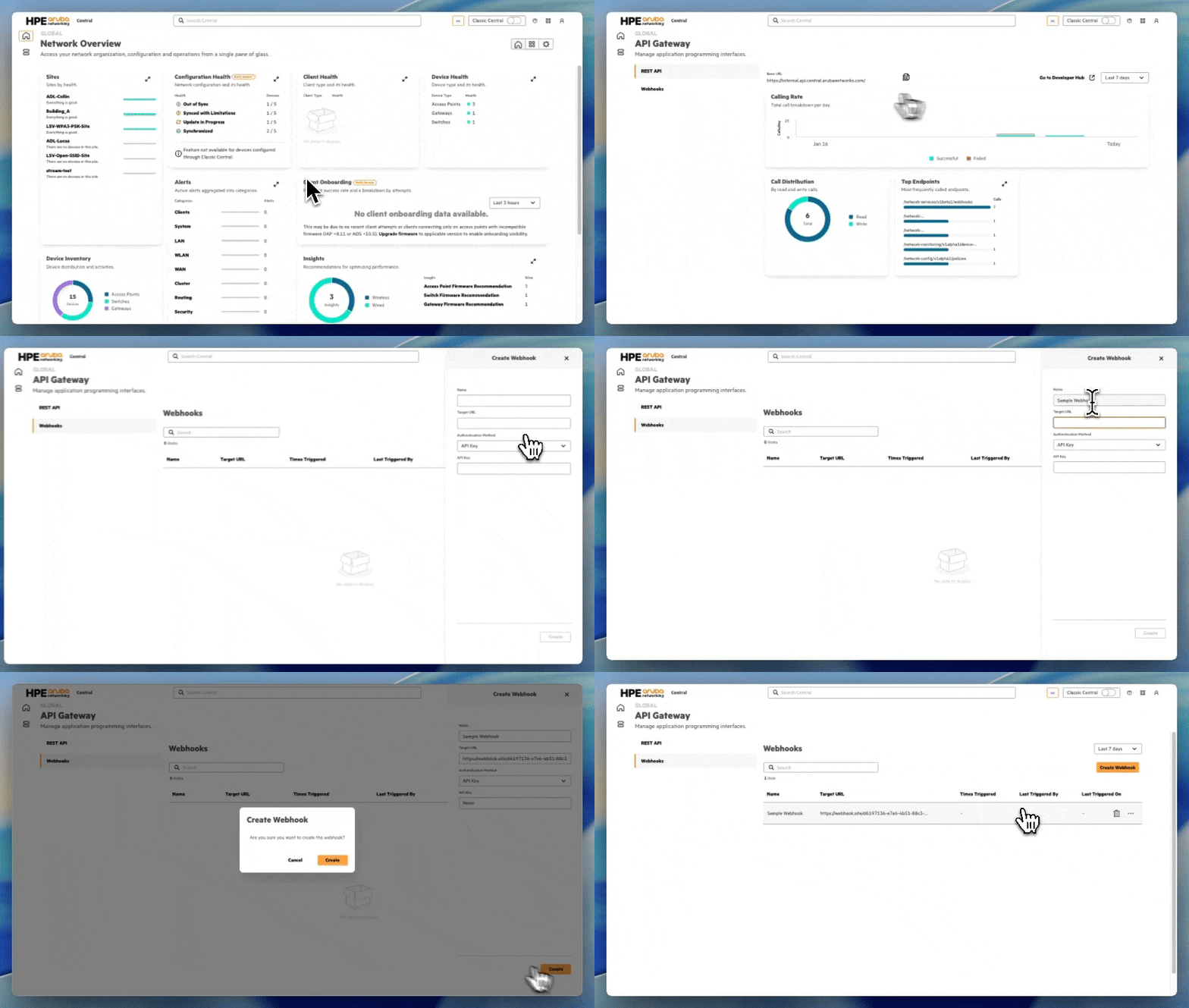
Now that the Webhook has been created, you have to define the Notifications in which to be delivered to the newly created Webhook.
Enable Webhooks for Alert Notification
To take advantage of any newly created Webhook you'll need to enable the delivery of Alert Notifications to be via Webhook:
- Select the Menu icon from the left-side panel.
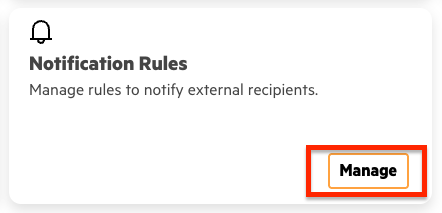
- Locate the Notification Rules card and select Manage.
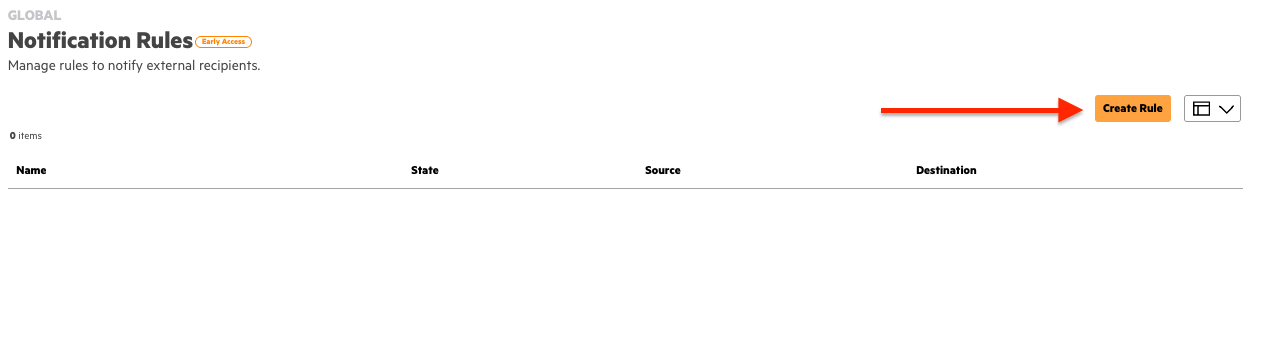
- Select Create Rule in the upper right corner.
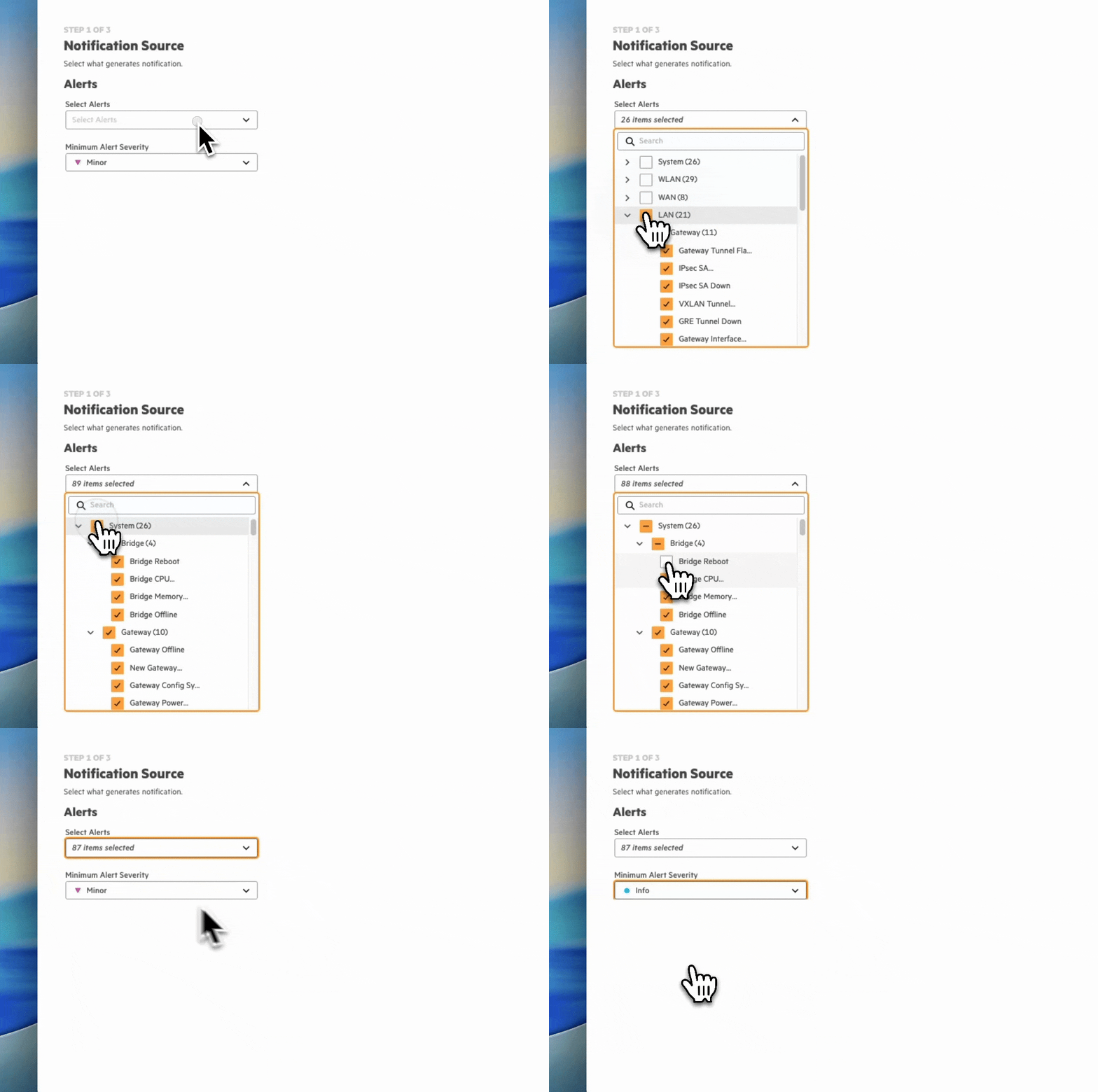
- In this view you'll be presented with two options for configuration: Select Alerts and Minimum Alert Severity. Select the check box for each Category, Device Function, and Alert you want to be notified. The selection for Minimum Alert Severity will include that severity and any higher precedent level, i.e. selecting "Minor" will result in alerts being sent for Critical, Major, and Minor severities, but not Info.
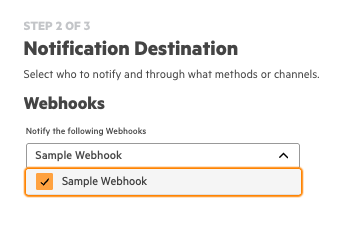
- Next you'll select the Webhook(s) you want the matched Alert Notifications to be sent to.
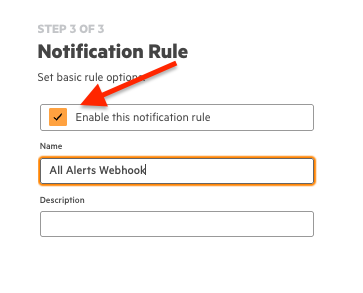
- Finally ensure that "Enable this notification rule" is selected, provide a Name and a Description (optional), then select Finish in the bottom right corner.
Source IP Addresses
Central sends Webhook events from a single source IP address per cluster. If your Webhook endpoint sits behind a firewall or proxy that restricts inbound traffic, add the source IP for your Central cluster to your allowlist so Central can reach your endpoint.
Find your Central cluster from the table below by matching the Base URL you use for REST APIs.
| Cluster Name | Base URL | Source IP |
|---|---|---|
| EU-1 | de1.api.central.arubanetworks.com | 35.157.6.198 |
| EU-Central2 | de2.api.central.arubanetworks.com | 3.126.112.162 |
| EU-Central3 | de3.api.central.arubanetworks.com | 3.65.195.13 |
| UK | gb1.api.central.arubanetworks.com | 13.134.17.207 |
| prod | us1.api.central.arubanetworks.com | 52.26.177.139 |
| central-prod2 | us2.api.central.arubanetworks.com | 52.39.216.181 |
| uswest4 | us4.api.central.arubanetworks.com | 52.39.42.98 |
| uswest5 | us5.api.central.arubanetworks.com | 44.226.35.224 |
| us-east-1 | us6.api.central.arubanetworks.com | 52.2.251.227 |
| Canada-1 | ca1.api.central.arubanetworks.com | 52.60.72.122 |
| APAC-1 | in1.api.central.arubanetworks.com | 35.154.95.220 |
| APAC-EAST1 | jp1.api.central.arubanetworks.com | 52.196.18.98 |
| APAC-SOUTH1 | au1.api.central.arubanetworks.com | 3.104.28.113 |
| UAE | ae1.api.central.arubanetworks.com | 20.46.147.67 |
| China | cn1.api.central.arubanetworks.com.cn | 54.223.73.117 |
| internal | internal.api.central.arubanetworks.com | 54.68.151.60 |
NoteAllowlisting a source IP confirms where a request came from on the network, not that the payload is genuine. For validating the integrity and authentication of the payload you case use the other available Authentication options.
Updated about 1 month ago