
Streaming Modes
This guide covers the two supported streaming modes of Central Streaming API: Load Balance Mode and Mirror Mode.
Subscriber ID
Each WebSocket connection is allocated one Subscriber ID. If no Subscriber ID header is provided in the request when connecting, a default subscriber ID is assigned. A Subscriber ID value must be in the UUIDv4 format. An ID can be generated in the UUIDv4 format through a variety of means and does not have to be generated from any particular source. One browser based generator can accessed here. The Subscriber ID header can be added to a request with the following syntax:
Subscriber-Id: 60d868ab-d1aa-4646-8847-b3c8cb1bda64Load Balance Mode (Default)
In Load Balance mode, events are distributed across multiple connections for horizontal scaling. Events are distributed randomly among connections sharing the same Subscriber ID. This mode is useful for distributing heavy processing loads across multiple client instances.
On CredentialsThe Central Streaming API data streams are managed by Central Customer ID (CID), not individual client credentials. Using different client credentials under the same CID does not create separate/isolated streams. Load Balance mode will be in effect for all streams sharing a subscriber ID under a CID regardless of which credential is used to open the stream.
Example: In the animation below we have two clients connected to the default subscriber-id receiving interchanging messages from the Streaming API.
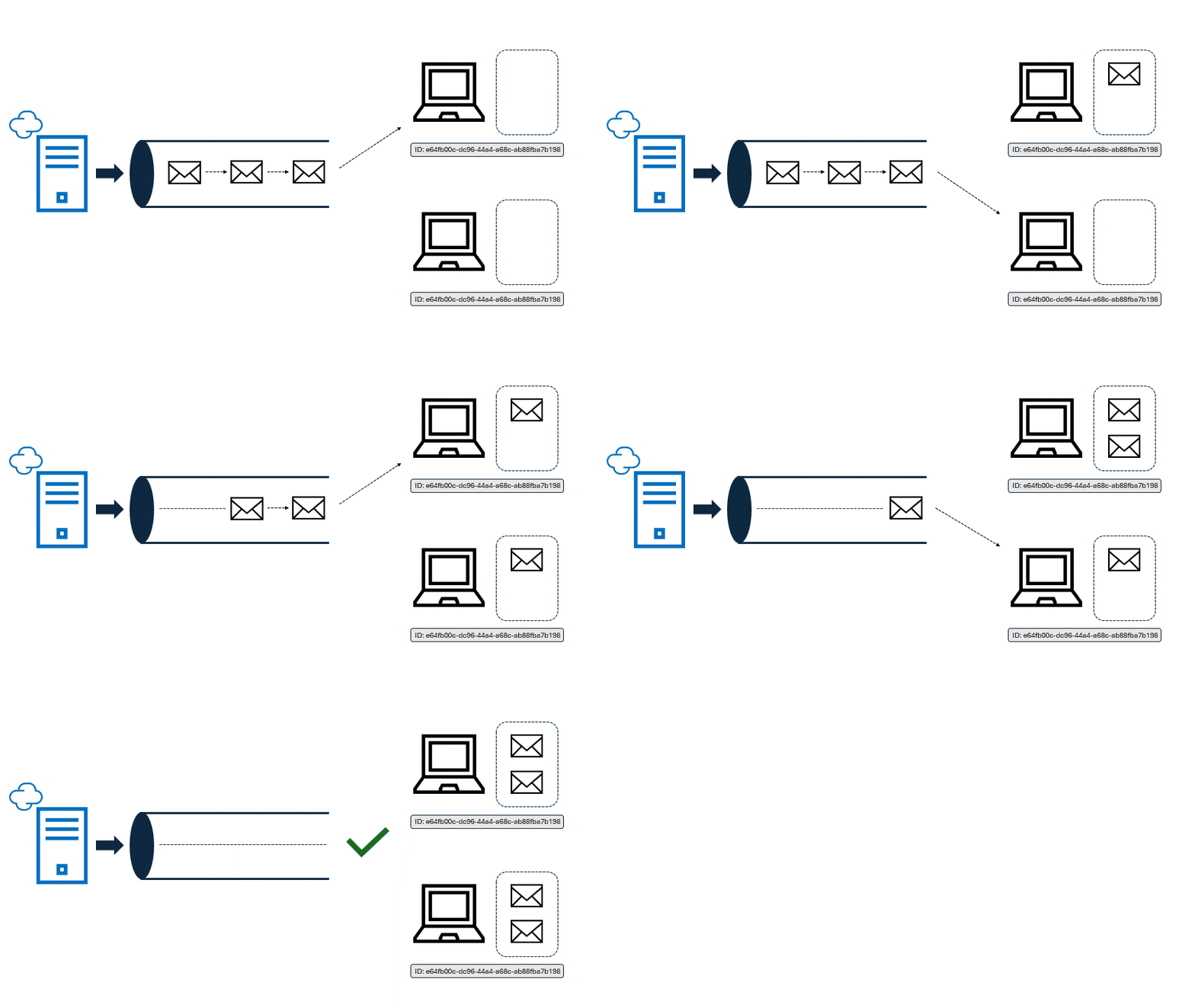
Load Balance Mode
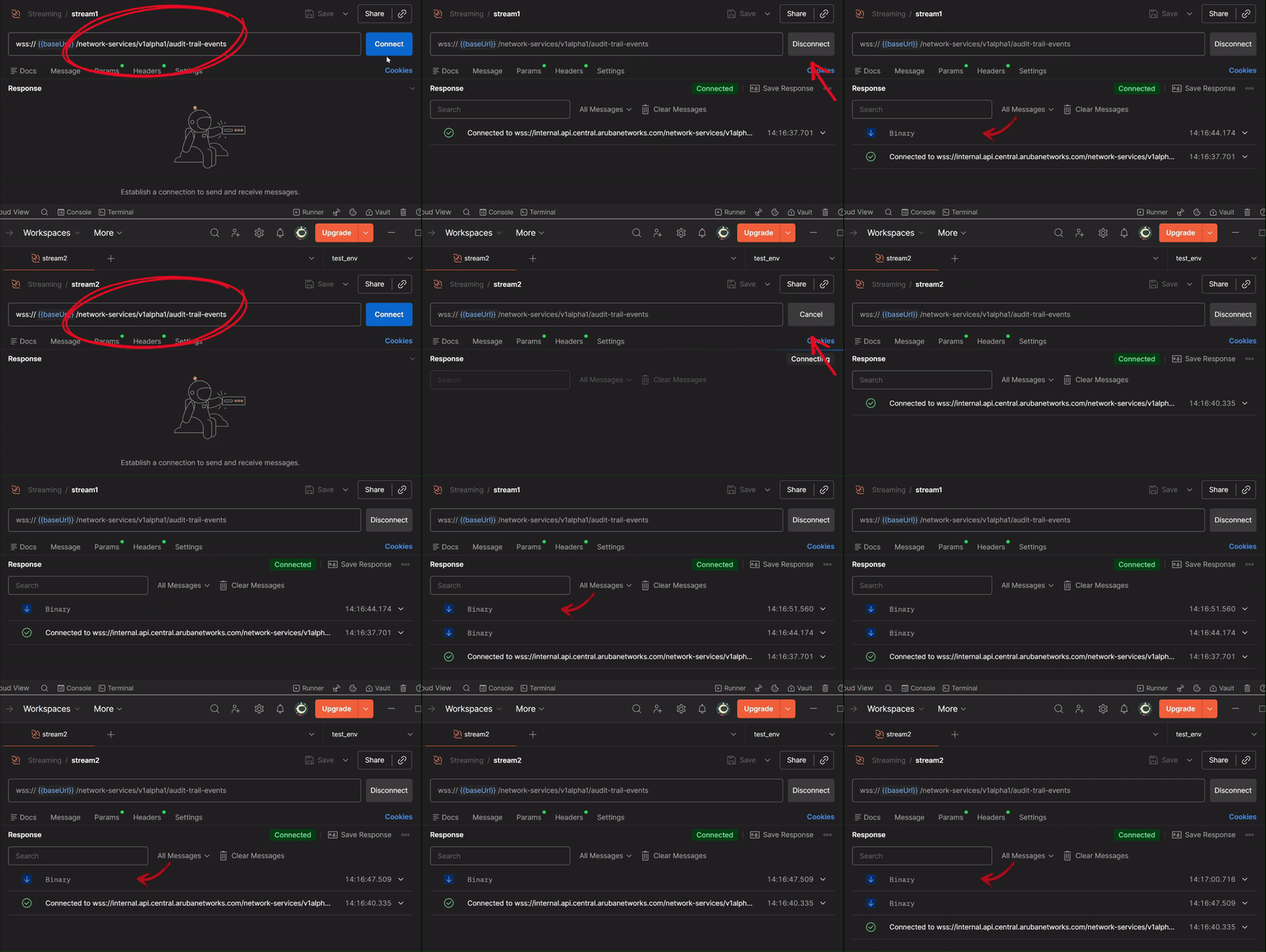
Load Balance Postman Example
Mirror Mode
In Mirror Mode, each connection receives all events independently. To enable Mirror Mode clients must add a Subscriber-Id header to their request when connecting with a unique ID value. Each unique Subscriber ID receives all events from the Streaming API. This mode is useful when multiple independent clients need complete event streams.
Example: In the animation below two clients are each connected with a unique subscriber ID. All events are sent to both clients independently.
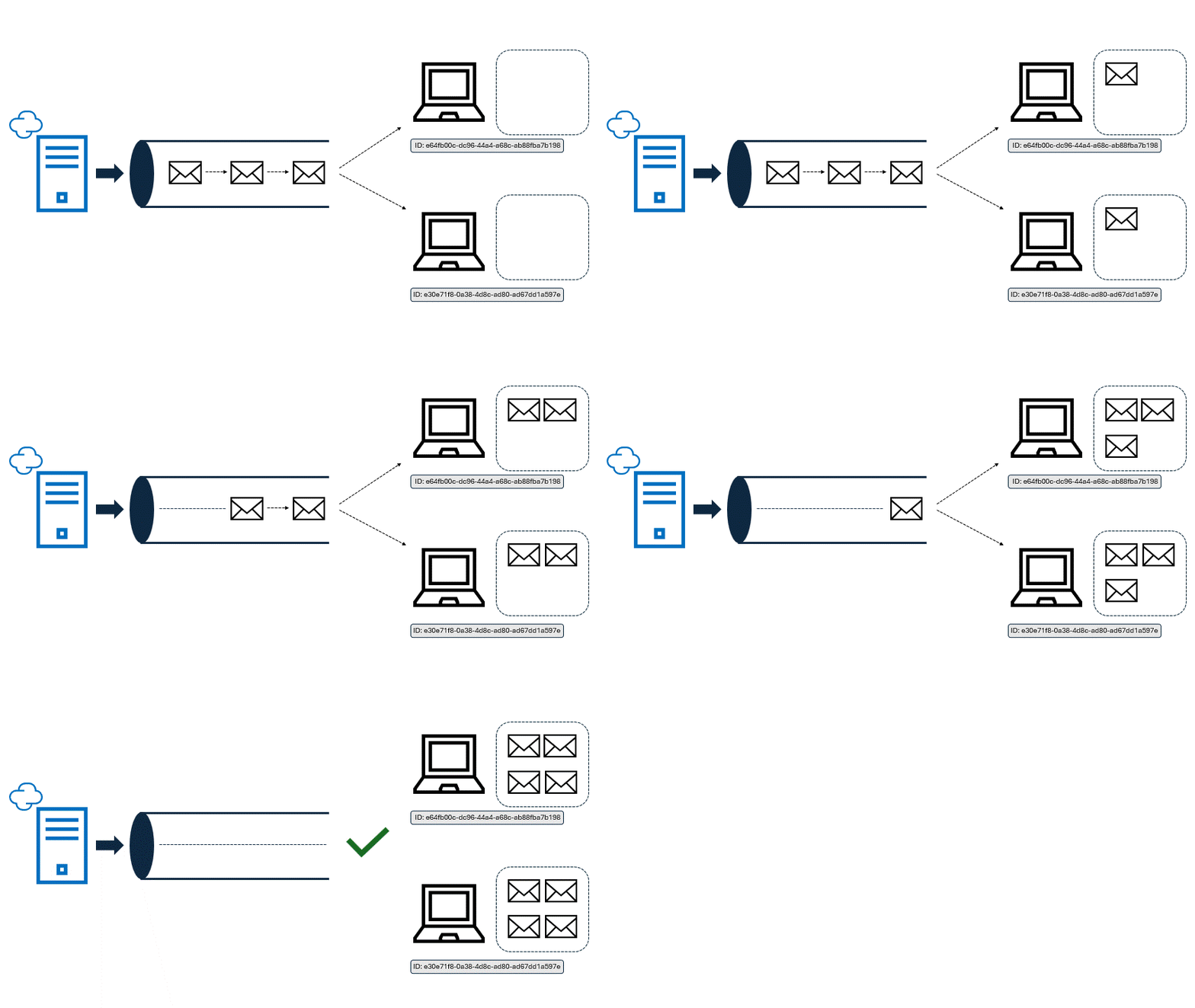
Mirror Mode
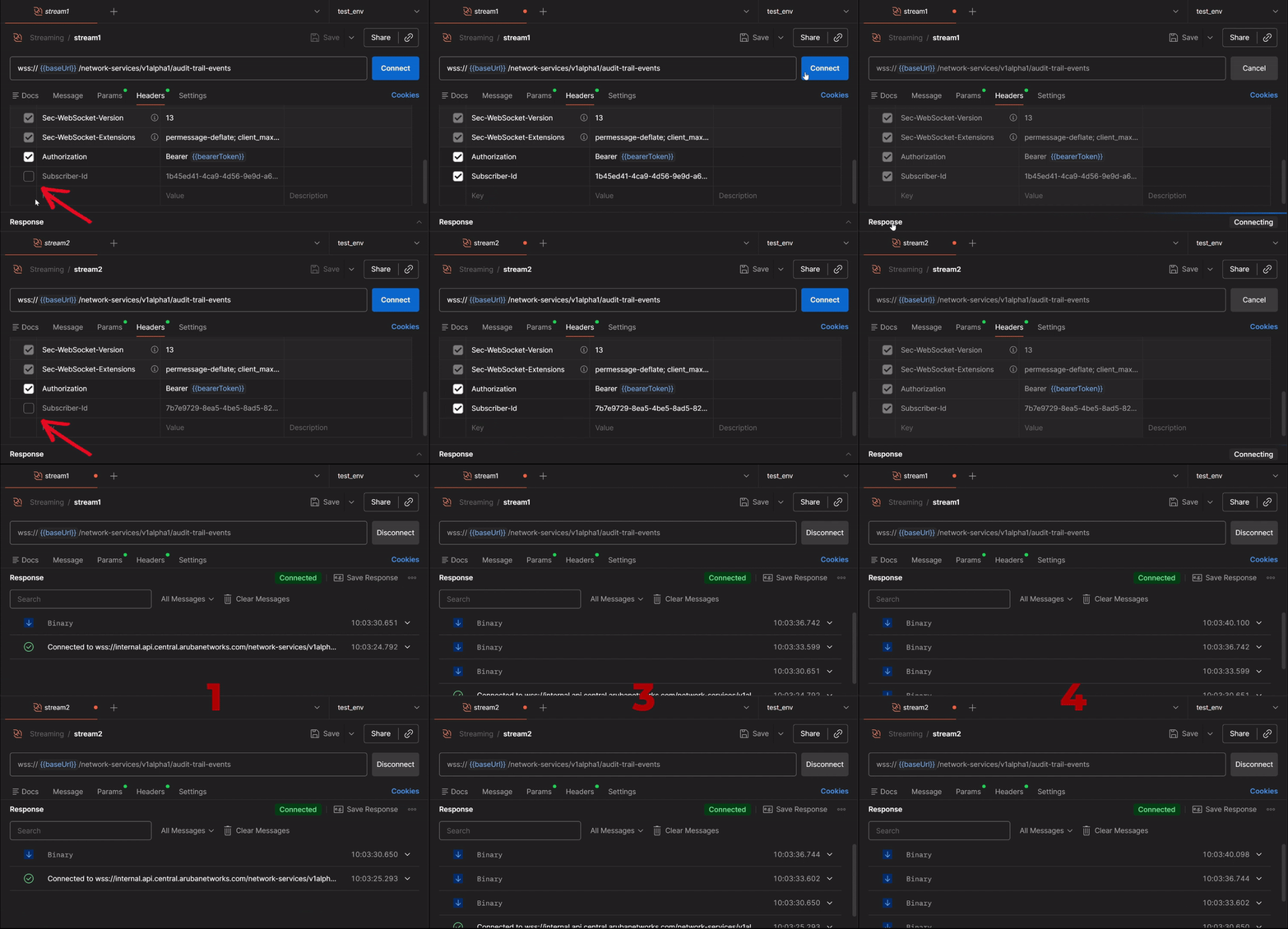
Mirror Mode Postman Example
Updated 4 months ago