
Authentication
HPE Aruba Networking Central Webhooks provides multiple authentication methods to ensure secure communication between Central and your application. This includes authenticating your application to receive Webhook events and validating the authenticity and integrity of messages being sent from Central.
Authentication Methods
Central supports two primary authentication mechanisms for Webhook receivers:
API Key Authentication
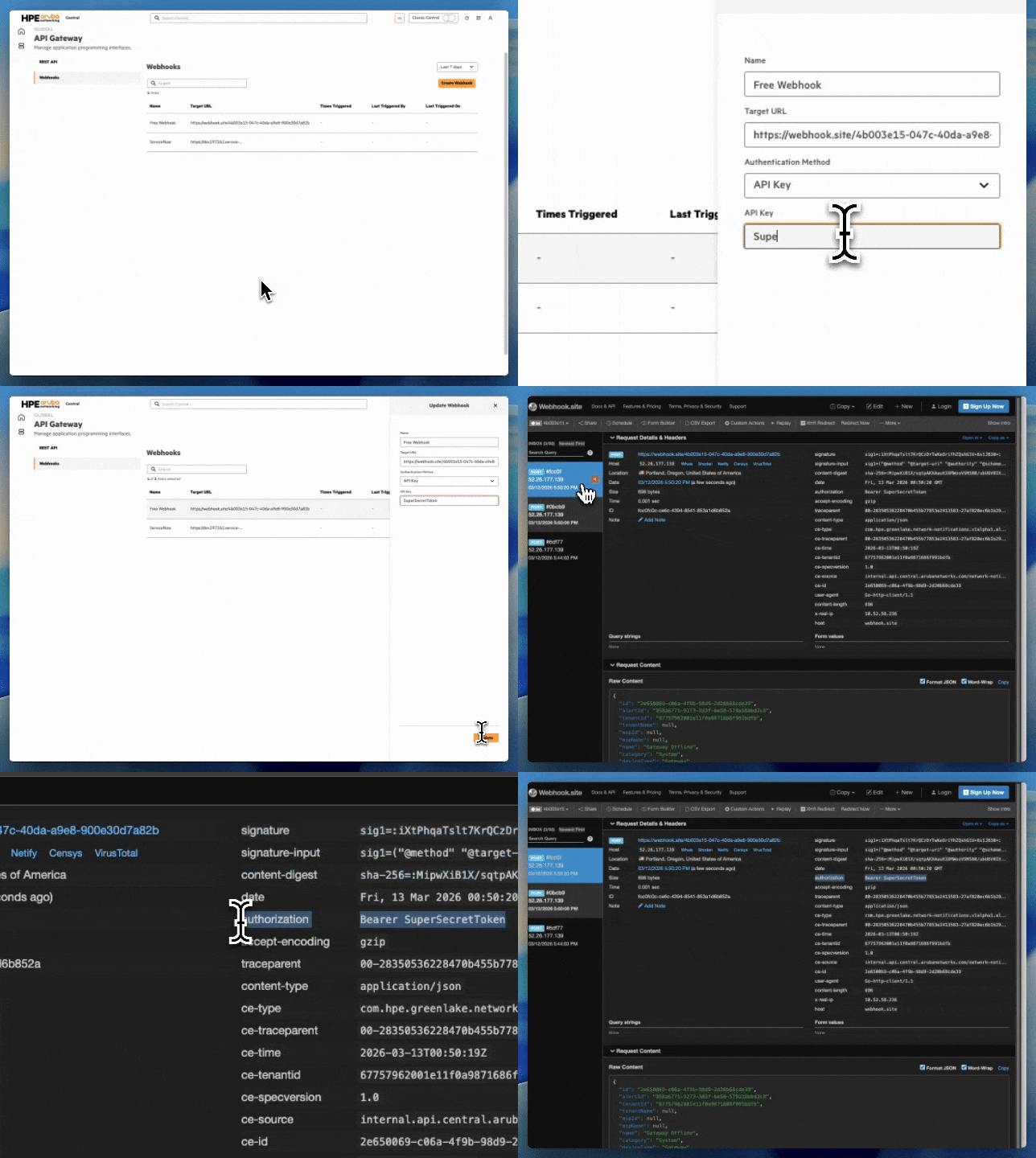
API Key authentication allows your Webhook endpoint to authenticate incoming requests using a static API key. When creating a Webhook with API key authentication, you provide your application's secret key that Central will include in the request Authorization header as a Bearer token when sending events to your Webhook endpoint. To see an example of this refer to the Create ServiceNow Incidents from Central Webhooks workflow.
OIDC Authentication
OpenID Connect (OIDC) authentication provides OAuth 2.0-based authentication for your Webhook endpoint. When configuring OIDC authentication, you provide:
- Target URL - The HTTP or HTTPS endpoint on the receiver’s server that listens for incoming Webhook requests
- Client ID - Your application's client identifier
- Client Secret - Your application's client secret
Central will obtain an access token from your OIDC provider and include it in Webhook requests to your endpoint.
Message Integrity Validation with HMAC
In addition to authenticating your application, Central provides Hash-based Message Authentication Code (HMAC) to validate the authenticity and integrity of Webhook messages. HMAC ensures that:
- Messages are sent by HPE Aruba Networking Central (authenticity)
- Messages have not been tampered with in transit (integrity)
How HMAC Works
HMAC uses a cryptographic hash function combined with a secret key to compute a message authentication code. To validate a Webhook message, you need:
- Secret Key/Token - Generated by Central when creating the Webhook
Signatureheader - Contains the received Base64 signature value (for example:sig1=:...:)Signature-Inputheader - Includes metadata that defines which request components were signed and how the signature was generated- Request values and headers referenced:
@method@target-uri@authority@scheme@pathdate
Central computes an HMAC signature using the inputs and includes it in the Signature header. Your application should compute the same signature using the shared secret key. If the computed signature matches the Signature header, the message is authentic and unmodified.
Obtaining the HMAC Secret Key
Web UI
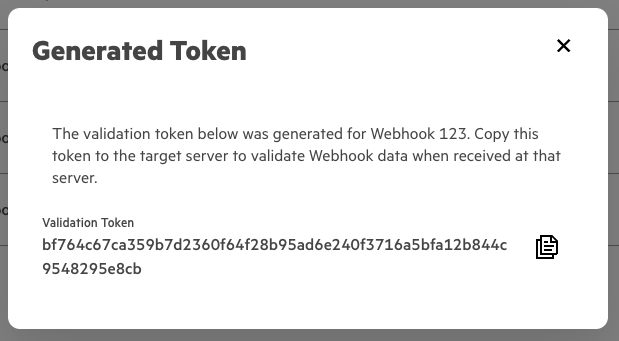
Upon Creating a Webhook users will be presented with the HMAC secret key.
REST API
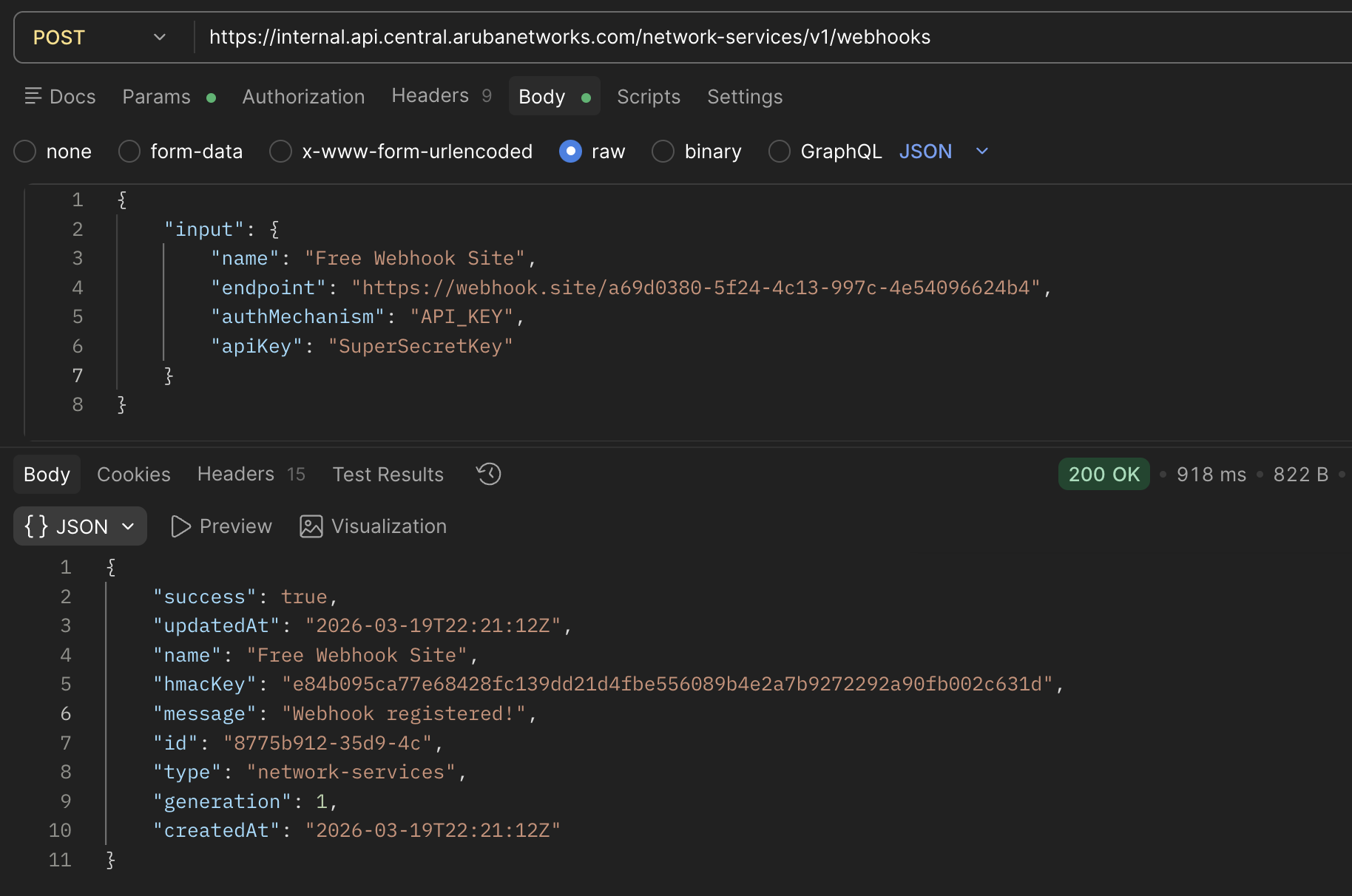
Similar to creating a Webhook through the UI, when you create a Webhook through Central's API the response returned will contain the HMAC Secret Key:
Rotating the HMAC Secret Key
For enhanced security, you can rotate (regenerate) the HMAC secret key periodically.
Web UI
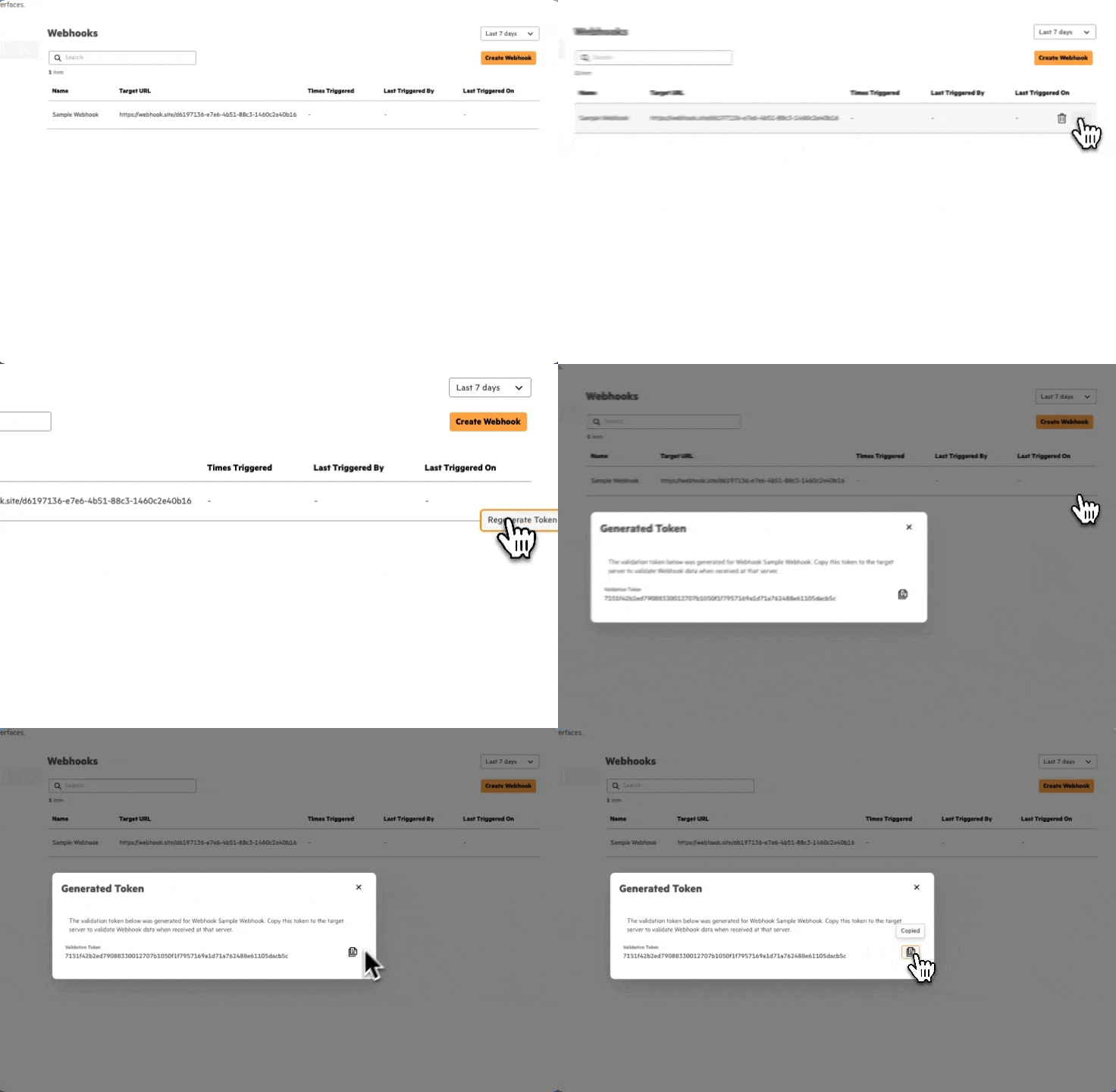
Once the Webhook is created, users can regenerate the key by returning to the Webhooks table under API Gateway and selecting the ellipses on the right hand side and choosing to "Regenerate Token".
REST API
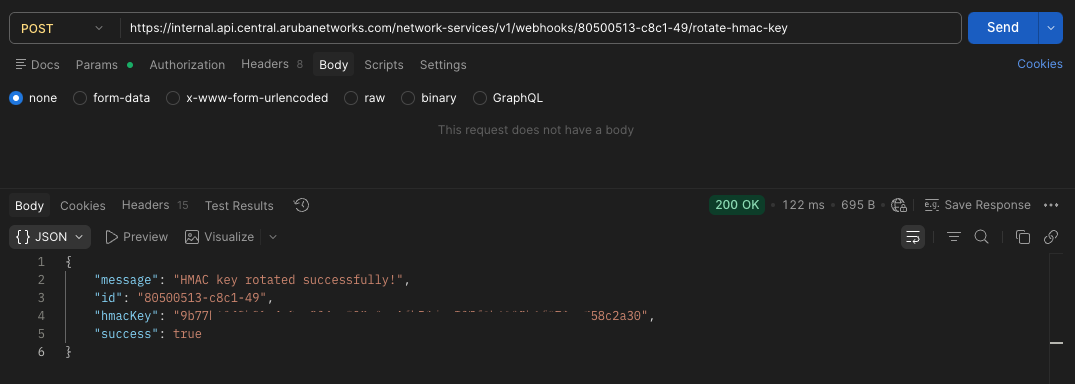
API Endpoint: /network-services/v1/webhooks/{id}/rotate-hmac-key
API Method: POST
Response: The API will return the new HMAC secret token. Update your application with the new token to continue validating Webhook messages.
Updated 4 months ago