
Brief Tunnel Trouble shooting
Why are tunnels not coming up?
- Several reasons – while UPD tunnels use “hole punching” there are limitations.
- Supported tunnel Formation
- Configuration issues
- Firewall Rules
- Rules in Cloud services such as “Cloudflare”
Troubleshooting (brief) Check list:
- Layer 1
- Layer 2
- Labels
- Overlays (Verified applied to EC's)
- Overlays (verified added Labels to SDWAN Overlays)
- Overlays (verified Labels have correct cross connect groups)
- Region(s)
- Orchestration (maintenance mode)
- Orchestration - two EC are trying to build tunnels on the same public IP (see alarms)
- Deployment > NAT setting
- ALARMS
- Inbound NAT discovery
- Firewall Rules/log (external to EC)
- TCP DUMP from CLI (verify packets reaching both sides, and ports, see below)
- Tunnel exceptions
- Edge connects have same site name
Click the “DOWN” for information – in this case NAT discovery is failing.
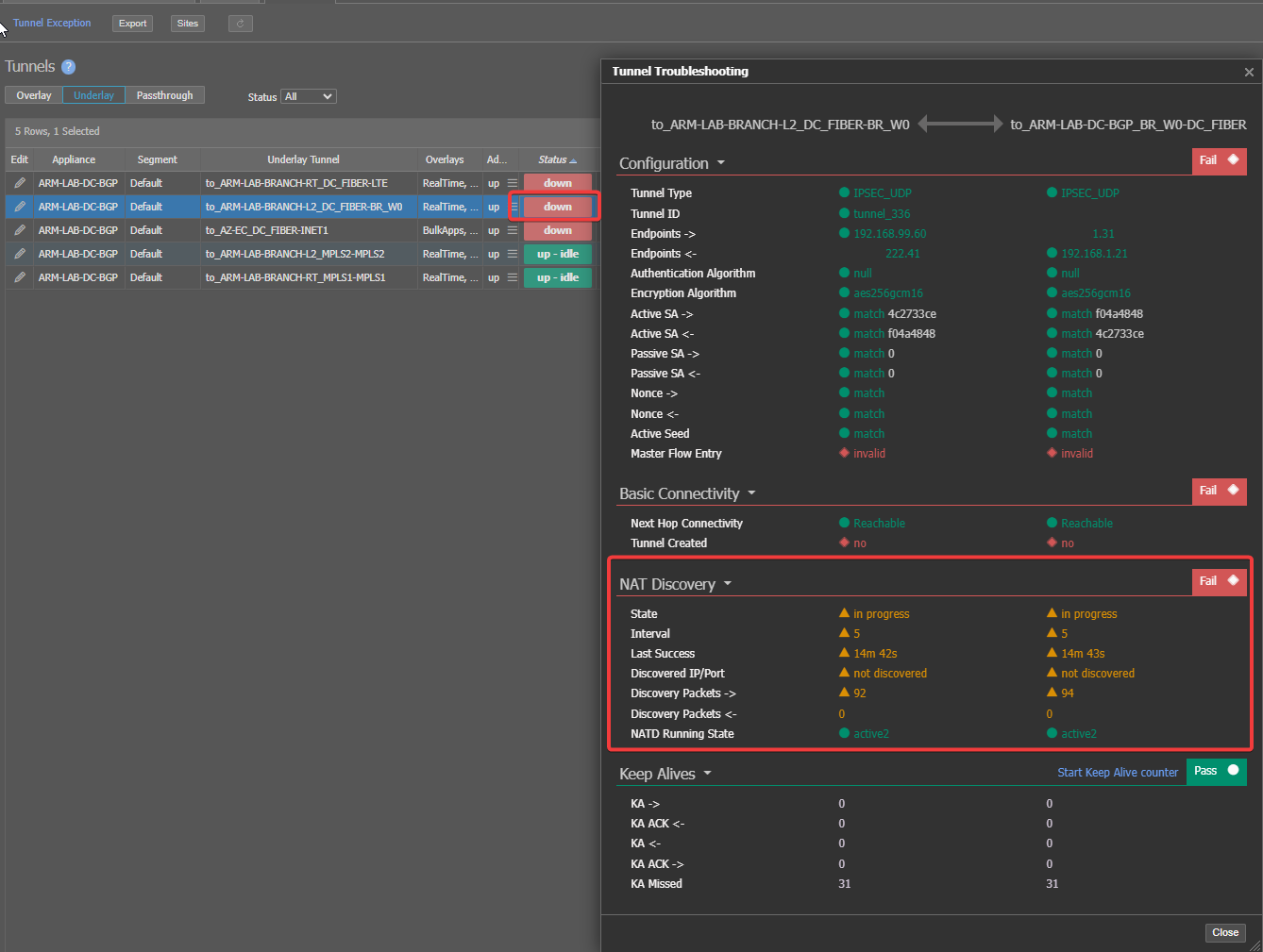
• My LAB SRX firewall Is dropping the tunnel traffic because ports do not match up (discovery is failing)
- Let’s investigate- notice one side has two private IP addresses above.
- This points to NAT issue.
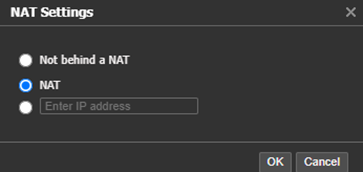
- Right Click on appliance from left tree > deployment
- LAB-DC is set for NAT.
- This is Correct – Behind Starlink NAT/CGNAT
In
14:40:04.873699:LSYS-ID-00 98.97.12.231/21170-->x.x.222.41/12000;udp,
Out
In: 192.168.99.58/12000 --> 98.97.12.231/12000;udp,
Out: 98.97.12.231/12000 --> x.x.222.41/1454;udp,<<<< NOTE: incorrect port
BRANCH-RT - is set for “NOT BEHIND NAT”
This is wrong – Connection is non static LTE has a private IP address via DHCP to EC WAN interface.

Let’s change this and see what happens
Tunnels remain Down.
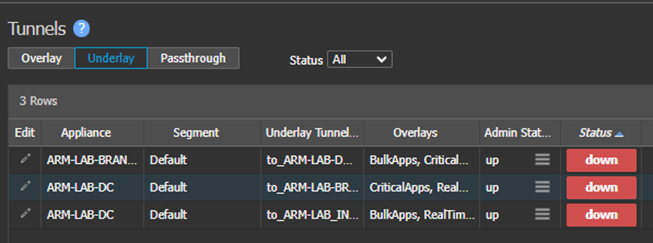
This connection is CG-NAT to CG-NAT
•	IN (sending traffic to port 12,000 expecting on 21,170)
		98.97.12.231/21170-->x.x.222.41**/12000**;udp
•	OUT (expecting traffic on port 1454 sending 12,000)
		In: 192.168.99.58/12000 --> 98.97.12.231/12000;udp, ,
		Out: 98.97.12.231/12000 --> x.x.222.41/**1454;**udp, Conn
•	Notice port mismatches – Currently tunnels cannot establish with CG-NAT on both sides of the Tunnel.
HUB sites – (Applies to Full Mesh appliances as well)
- Direct Public IP Best practice
- Will work with 1:1 NAT (2nd preferred method)
- Will work with Port Forwarding (3rd method -better at branch and not HUB location)
- Turn off outbound port translation (PAT)
- Not 100% needed but helps.
-
- Security considerations
- Will NOT work behind CG-NAT
-
-
Got-yah! – sometimes CG-NAT tunnels will come up on pure luck, however they usually do not stay up and will drop randomly!

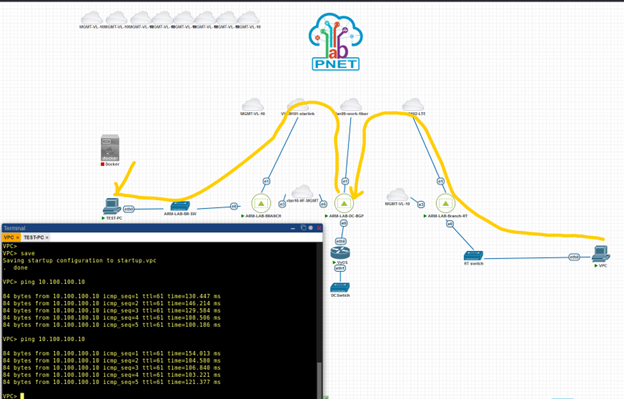
Now you have tunnels. If you have the LAN side plugged in and routing, and devices on each side, you should be able to pass traffic.

Able to ping from branch to branch.
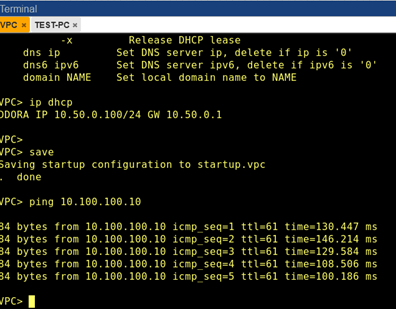
This ping is flowing path: Branch-RT (LTE WAN) > HUB (Fiber-in) (hairpin) > Hub (Fiber-out) > Branch-L2 (Starlink) | See trace below.
The Echo is the same path in reverse. Hub and spoke – hairpins in hub.

Updated 4 months ago
What’s Next
Did this page help you?