
Adding templates to groups
Open Templates
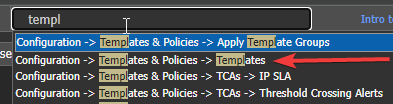
Open Template Groups from search menu
Click "show all"
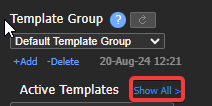
Where to find additional templates with show all
-
Find the template you want
-
Click-hold-drag to the right
-
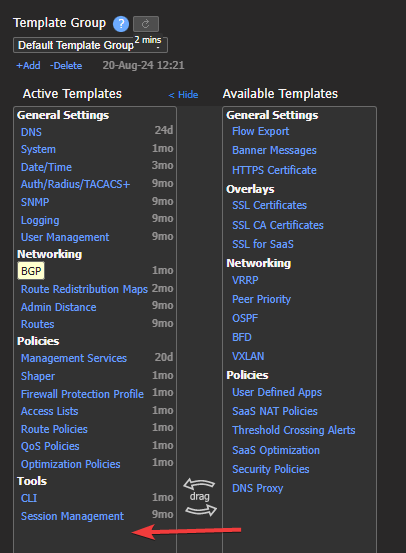
Demo to Click hold and drag needed template to the group.
Configure the template as required.
-
-
(1)Click Save
- Note the popup - telling you how many devices you are about to push configs too!
-
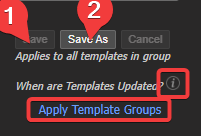
Shortcut to Apply Template Groups
(2)"Save as" can be used to clone an entire template group
-
Uses:
- to apply the exact setting to a LAB environment to test changes without pushing to any Production appliances
-
-
Click the Circled "I" to understand when and why templates push.
-
"Apply Template Groups" = shortcut to the apply template groups page.
Updated 4 months ago
What’s Next
Did this page help you?