
Loopback Orchestration
Best Practice: Loopback Orchestration
- Multiple loopbacks supported
- Different pool for different regions
- Required for some features
- Setup under Loopback Orchestration
- Set up below, many options here Label and Zone are important, Region only matters if you are using regions.
- If management loopback, check the box.
- Orchestration loopbacks are in the 20,000 range
- Example lo20000
- Does not overwrite manually added loopbacks
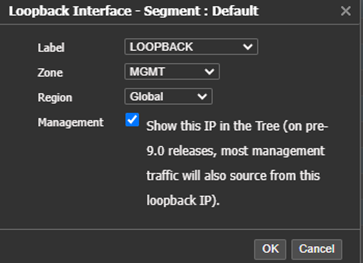
Once you see the line click the “loopback pool” to assign an address pool
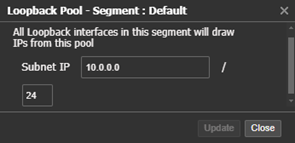
Usage tracked and decommissioned devices go into “reclaim” to reuse these IP addresses click reclaim.

Lookback orchestration is regional - Configure a pool in each region

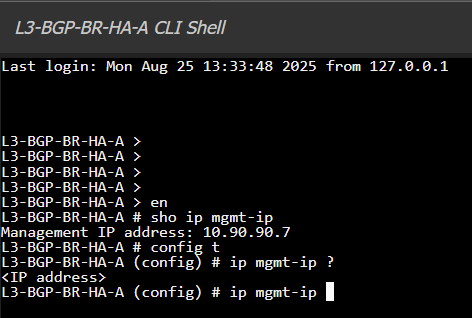
If not using Loopback Orchestration set the management IP with CLI commandip mgmt-ip (IP address)
Updated 4 months ago
Did this page help you?