
Basic setup
Best Practice: If using peer priority use on all spokesMixing can cause confusion and routing difficulty
Best Practice: Only use on HUB/Headend EC for connections to other HUB/Headend EC to keep this traffic symmetrical.
Peer priority is applied to the SPOKE device, this directs spoke traffic to the preferred hub.
Best Practice: Use dedicated template groups from each Peer PriorityThis is one of the few Items in the Orch a seperate template group(s) is needed.
Create a template group
in this Example PP-test will only contain the Peer Priority template
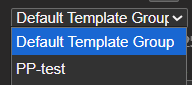
Here is the saved template group
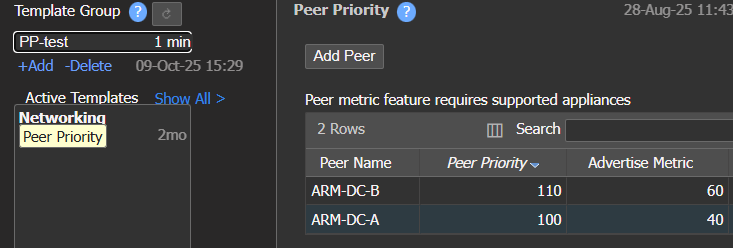
Peer Priority template example
- Peer Name - the HUB(s) traffic routes too
- note large environment may have 4-6-12 EC's (peers) listed here
- Peer Priority - the priority of each HUB Lower is better
- Advertise Metric - the AM the HUB will receive from the spoke (See AM section)
- Default is "preserve existing" - or AM is "off"
Apply the template group to your spokes
-
Select to apply and click apply
-
The template groups that are applied show here
-
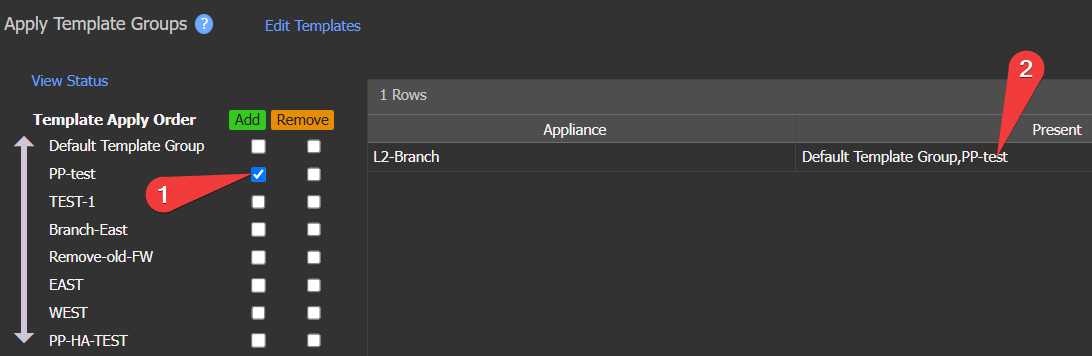
Apply template group example
TIP - if you need to search, use the search in the top right, you can check add and then search, this combo will show the devices that do not have that template group. Alternately you can click remove and search, this showing the device that do have the template.
Results
To see the results check the spoke routing table
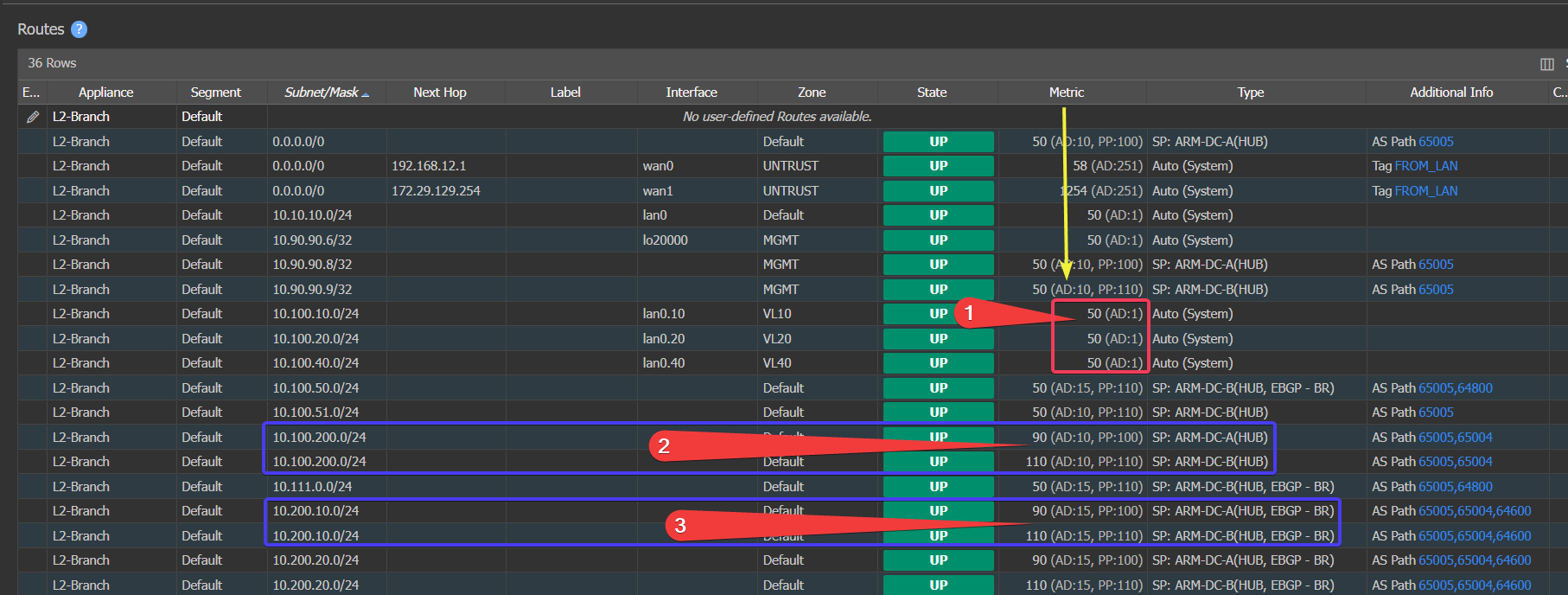
Route table example
-
Local Routes do not have PP applied. PP only applies to routes from peers in the templates.
-
This route is learned and the "PP:100" and "PP:110" are added to the Metric column
- Metric is different in this case, so technically PP would never be used (the reason is Advertise metric in the next section!)
- Do you know why? Those routes are from other branches and the Hub is re-advertising it.
-
Here is an example of a typical Default route you might use on the WAN. HUBs are advertising.
-

Default route with Peer Priority example
- Above is default route from the hub - and PP is taking affects here
- Same Longest match? - Yes (/0)
- Same AD? - Yes (10)
- Same Metric? - Yes (50)
- PP same ? - no top has 100 bottom 110 thus top route is used.
Questions- What happens if Hub B goes down or looses the 0/0 Route?
- the route will pull from the fabric and Hub A will be the only route in the table PP:100 will use the route but because there is no other route (PP only applies to LIKE routes) traffic will go that way.
- What happens if we have Hub "C" and "D"
- if the Hub A route wins based on the route selection order - it uses A route
- Above is default route from the hub - and PP is taking affects here
-
Updated 4 months ago
Did this page help you?