
Established Tunnels
All work in the above sections has brought us to this. If all goes well we hope to see some "up" tunnels. Let take quick look around an point out some need to know information!
Checking underlay tunnels
Now that you have devices trying to form tunnels, let's check the progress.
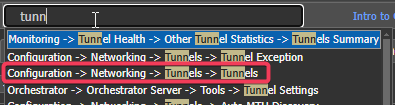
-
Below is the Tunnels Page
-
Select one or more EC to view tunnels, one EC selected below
-
Select "Underlay" Tunnels
-
View the tunnel source and destination EC and labels.
-
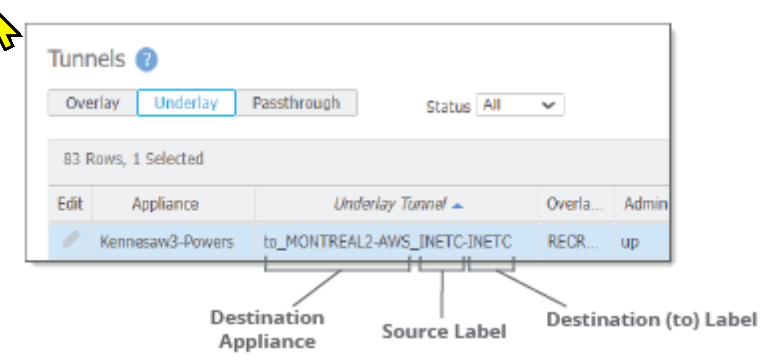
View the status
-

- Underlay tunnels are the direct tunnels over the WAN, without underlay tunnels the "overlay tunnels" will never come up.
Up tunnel Status:Active - passing traffic - or has passed a packet in the last 5 minutes
Idle - Ready for traffic - but has not passed a packet in 5 minutes
Down - PC LOAD LETTER See Tunnel Trouble shooting
Updated 4 months ago
What’s Next
Did this page help you?