
ZBFW/Segment/ACL Tips and tricks
Best Practice: Segmentation on
ZBFW is stateful
Use “Routing Segmentation (VRF)” to manage Zone/segment firewall rules -type "matrix" in search for quick access to ZBFW Rules.
Different Zone/segment to different Zone/segment implicit deny
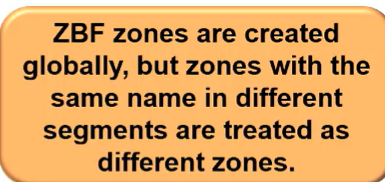
Zone APPLES in segment-DATA to zone APPLES in segment-SERVER is blocked. Even though the zones have the same name globally, they are different zones because they are in different segments.
-
Click here to exclude Overalys from segments
-
Example: Guest will only be allowed "Guest" Overlay
-
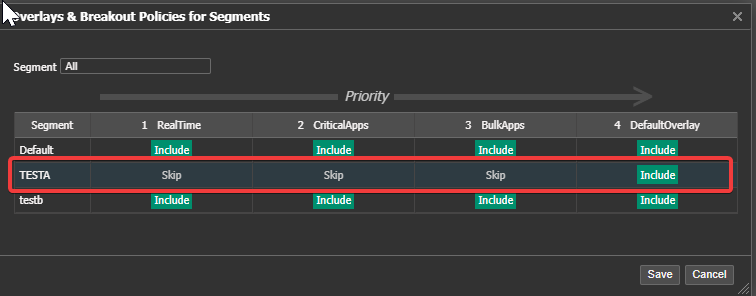
Click Save
-
-
Click Here to config the ZBFW for each segment

Intra segment and intra Zone within a segment, traffic is allowed
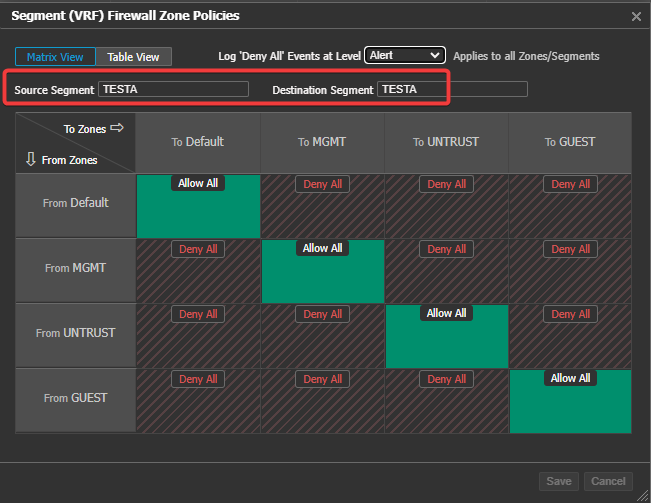
Inter segments are implicit Deny
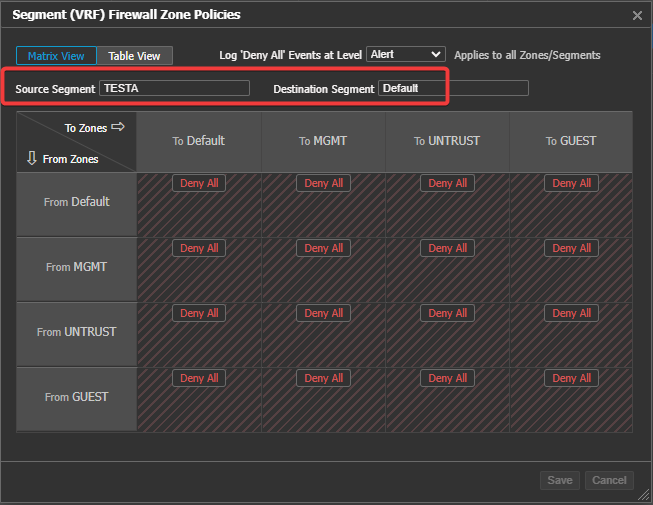
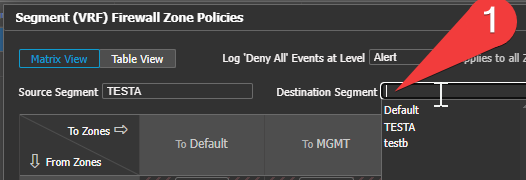
TIP – change source/dst segment by deleting “Default” and select the segment (reduce click/page loads)Useful for copying rules (below how to)
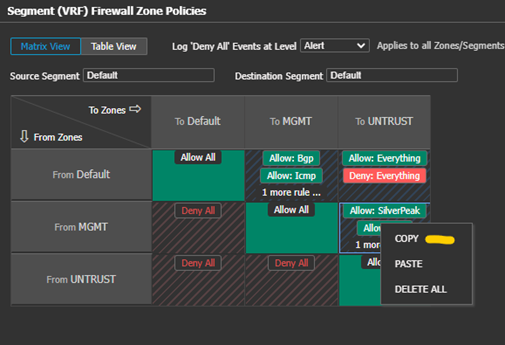
TIP: FW Zone Rule copy
All copy and paste operations must take place in the same browser and browser tab. If you use multiple tabs or browsers, the copy/paste operation will not function.
- right click rule box you want to copy Select copy
- Right click rule box you want and paste
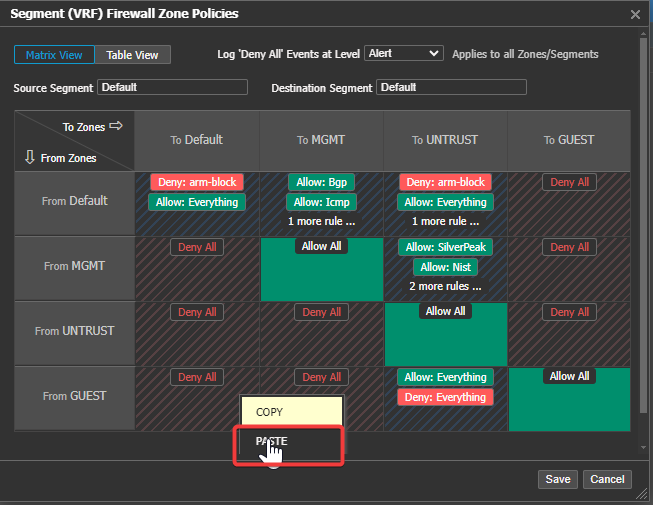
Rule Copy also works between different FW templates and between Firewall Zone policy and the Segmentation VRF Zone policies. This is especially helpful for transferring rules to turn on segmentation.
-
To transfer rule from Security template to VRF segmentation
-
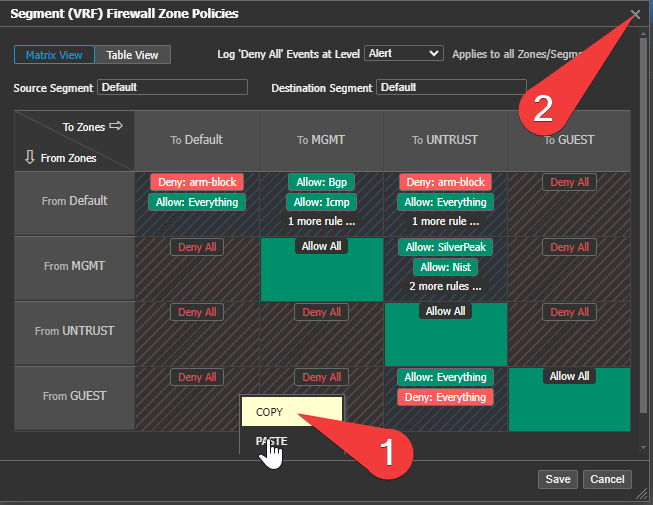
Right Click COPY, then Click the “X”
-
When you click copy the “save and cancel” both light up, but there is no need to click one of them just “X” out.
-
-
-
go to the Seg Firewall page and right click and paste.
-
-
FW Rule basics (Zone Based Firewall)
- Three methods exist to “Firewall”
- First ZBFW release (8.1.7.x)
- Zone rule evaluation with device Zones
- Overlays had a zone (depreciated)
- ZBFW – End to End (9.0.0.x)
Noted above: Regional Routing (RR) must be on for any Hairpin traffic; Traffic is dropped at the hairpin hub if RR is not on.- Zone evaluation look up for destination
- Entering packet on device
- Ingress interface zone
- Route lookup
- Route table contains remote zone information
- Rules evaluated – action taken (allow/deny)
- Packet/flow dropped on the local source device. (saving WAN BW)
- Match deny rules
- Packet/flow forwarded if matching allow rule
- If destination Zone is “none” packet is transmitted to destination to for evaluation. (delayed decision)
- Zone evaluation look up for destination
- Segmentation (VRF) (9.0.0x)
- End to end Firewall (only option with seg)
- First ZBFW release (8.1.7.x)
- Three methods exist to “Firewall”
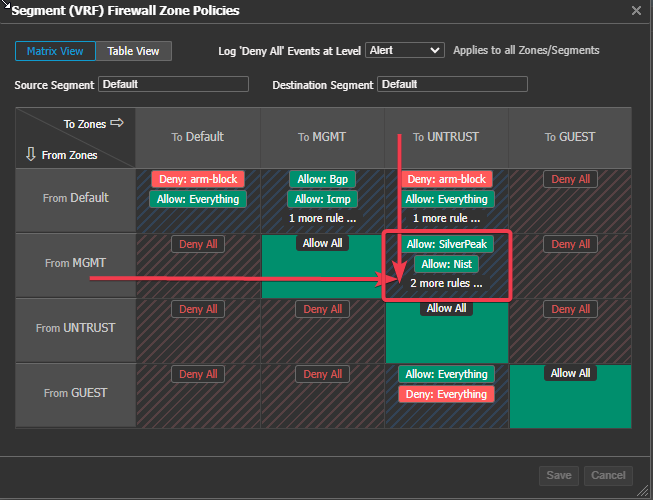
Firewall Rules
Best Practice: Use applications/groups firstUse address/service groups with ACL to complete the coverage.
- Applications evaluated first – efficiency
- Make custom applications as needed
- Changing the application updates all rules application is referenced automatically.
- Make applications granular – dst port, url, Source IP, etc. this reduces the Firewall rules needed, and “mistaken identity”
- Use Custom application groups
- Applications can be referenced in many groups, and these groups in ZBFW rules/ACL.
- Use address/service groups where application is not possible or difficult
ACL (Access Lists)
Can Use an ACL with applications/groups, Address groups, service groups, GEO policy, etc.
-
Makes Rules cleaner
-
Easy to use in many ZBFW rule with one line
-
Can copy ZBFW rules if a new zone or requirement is added (example above)
-
Create a single point of truth and reduce admin time, updating the ACL automatically updates all rules that reference it.
-
Example you have a “Block list”, make this an ACL and reference it.
- can reference Application and application groups in the ACL
- you can make a "block list" Application group to make this easier
- Combine all the Address/services/Applications into the ACL
- can reference Application and application groups in the ACL
-
A new block required?: simply update the ACL – changes are orchestrated.
-
All ZBFW rules updated because they reference the ACL
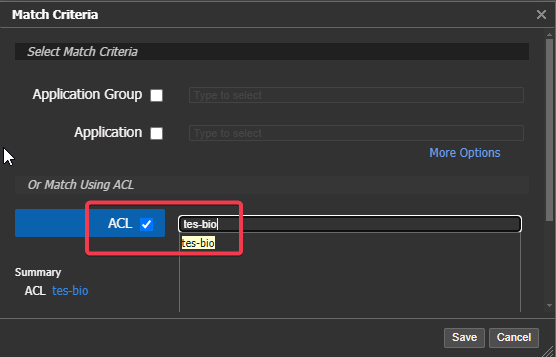
-
-
When You reference an ACL in a ZBFW rule It changes the logic of the system.It Changes to "If you Match this ACL, then do the set action (permit/deny)"
A "Permit" in the ACL is: Match this ACL
A "Deny" in the ACL is: Do not match this ACL
Note: If ACL not listed, you can type/copy-paste the ACL name here. Space and caps matter!Time spent upfront making Applications/address/service groups and ACL’s, however, it pays off in the long term. Keeps environment organized.
Different thinking from "traditional network/security".
GEO-POLICY and Top Level Domain
Yes, we can block/allow base on IP GEO location and TLD in any firewall rule
We can use an ACL to allow/disallow in bulk. This is more advanced configuration please review the (Future Security Guide) and consult with your SE.
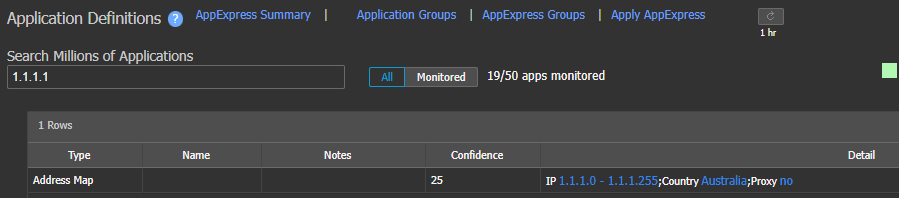
Find the GEO-IP of any IP by typing it in the application definition page.
Updated 4 months ago