
Date/Time
Best Practice: Add to default template
- In the default template select Date/Time
- Select time zone (UTC is default)
- Add or remove NTP servers as required.
- Note that Zone Based Firewall/VRF (ZBFW) rules are required.
-
Best Practice: If your appliances are in different time zones, create a new Template Group for Date/Time and apply it as required to the devices. Template application order will over your time setting in the default template.
please see Initial Templates
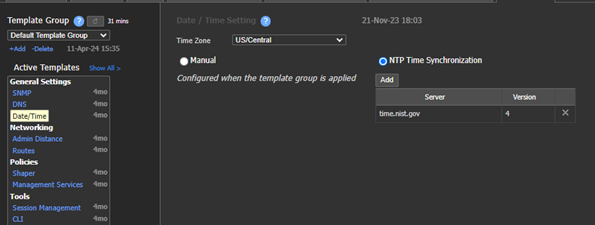
Default template Time setting

East Template Group Time settings.
Updated 4 months ago
What’s Next
Did this page help you?